

Download SnapCrab – Free, Secure Screen Capture Tool for Windows, Mac, Android & iOS
SnapCrab is a powerful and intuitive screen capture software designed for users who need quick, customizable, and high-quality screenshots across multiple platforms. Whether you're creating online tutorials, documenting bugs, or sharing content on social media, SnapCrab streamlines the entire process with advanced capture modes, real-time color picking, and seamless sharing integrations. Unlike Windows’ basic Print Screen function, SnapCrab offers full control over what you capture—entire screens, individual windows, or custom regions—with options for transparent or colored backgrounds.
The app is completely free to download and use, making it one of the most accessible screen capture tools on the market. With support for Windows, Mac, Android, and iOS, SnapCrab ensures you can capture content wherever you are. Its lightweight design and minimal system impact make it ideal for both casual users and professionals.
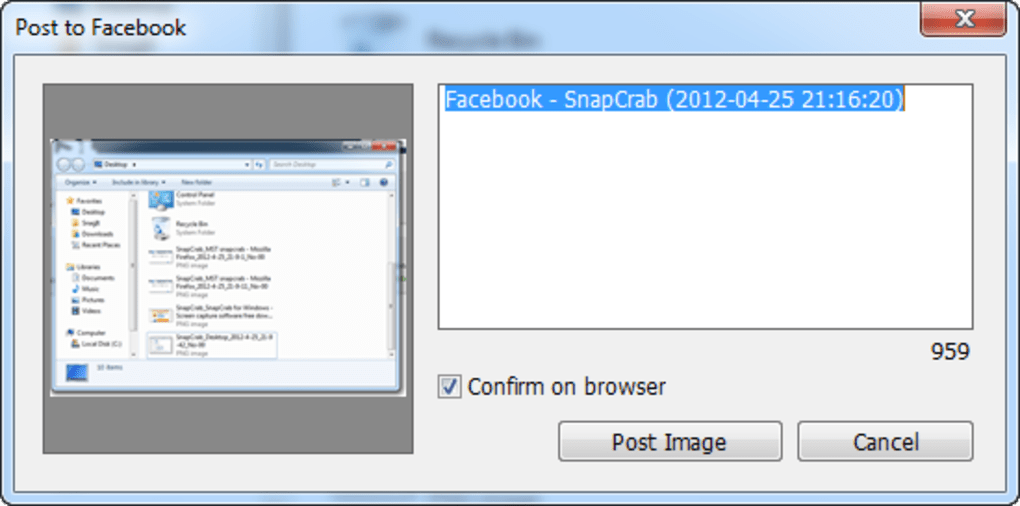
The software also includes customizable hotkeys and a built-in HTML color code generator, which is a standout feature for designers and developers. While it lacks an in-app editor, its integration with Evernote, Facebook, and Twitter simplifies sharing. SnapCrab delivers a secure, reliable, and efficient screen capture experience—perfect for anyone looking for a free alternative to premium tools like Snagit.
Key Features of SnapCrab – What Makes It Stand Out
SnapCrab isn’t just another screenshot tool—it’s a feature-rich utility that enhances productivity and creativity. One of its most powerful features is the ability to capture multiple types of screen content with precision. You can take full-screen snapshots, capture individual windows, or select custom regions with a simple drag.
This flexibility is ideal for users who create tutorials, write documentation, or troubleshoot technical issues. Another standout feature is the transparent or colored background option, which allows you to create clean, professional-looking images without distracting white borders. This is especially useful for designers and content creators who need polished visuals for blogs or presentations.
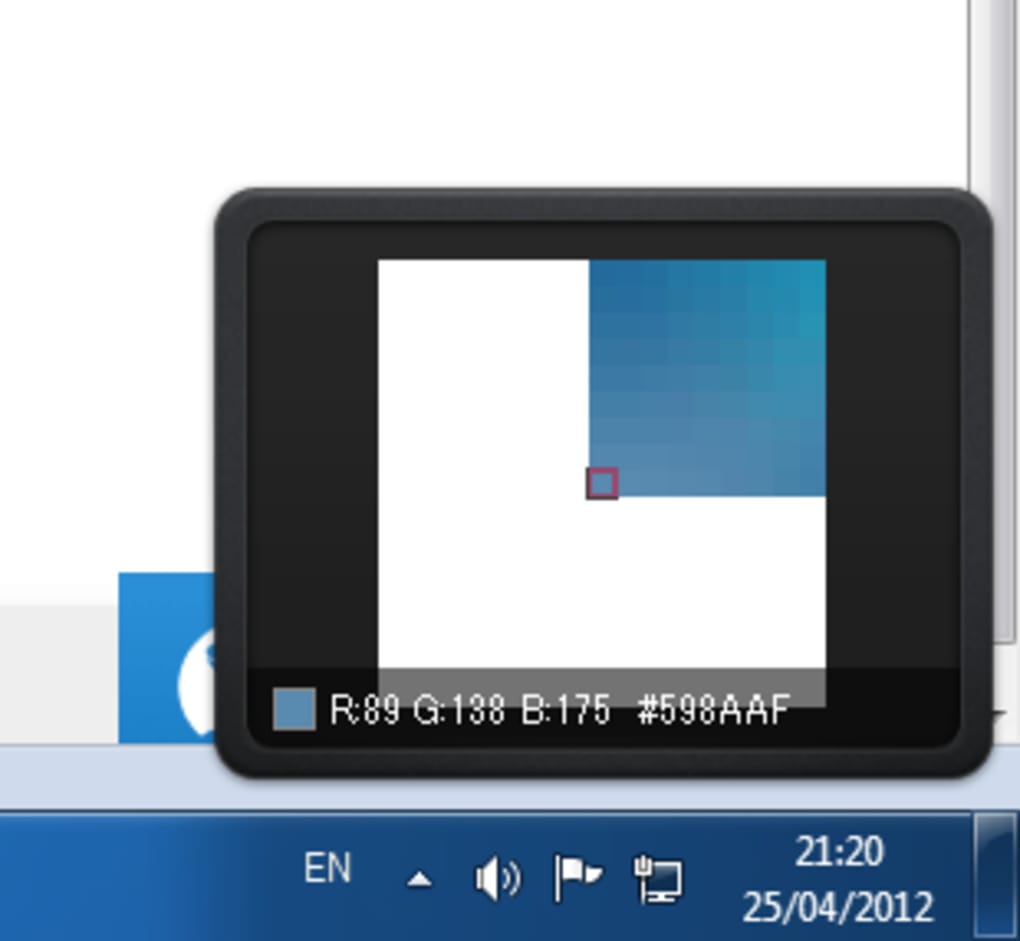
For developers and web designers, SnapCrab’s built-in color picker is a game-changer. By hovering over any element on your screen, the app instantly displays the HTML color code, RGB value, and hex code. This eliminates the need for third-party tools and speeds up the design process significantly.
Customizable hotkeys let you assign your preferred shortcuts for capturing, pasting, or opening the app, improving workflow efficiency. The software also supports automatic image saving to your desired folder, so you never lose a screenshot. With support for multiple platforms—Windows, Mac, Android, and iOS—SnapCrab ensures consistency across devices.
Whether you're on your desktop or mobile, you can capture and share content seamlessly. While it doesn’t include an in-app editor, its integration with Evernote, Facebook, and Twitter allows for instant sharing, making it a complete solution for content creators.
How to Install and Use SnapCrab on Windows, Mac, Android, and iOS
Getting started with SnapCrab is quick and straightforward. For Windows users, visit the official website and download the installer. Run the file, follow the on-screen prompts, and the software will install in seconds.
Once installed, SnapCrab runs in the background and can be activated via a customizable hotkey (default is Ctrl + Shift + S). You can also access it through the system tray icon. To capture a full screen, press the hotkey and choose your preferred mode.
For a window or region, click the corresponding option in the pop-up menu and select the area. The captured image is automatically saved to your designated folder or copied to the clipboard.
Mac users can download the .dmg file from the official site. Open the disk image, drag the SnapCrab app into the Applications folder, and launch it. The interface is clean and intuitive, with the same hotkey functionality as the Windows version.
On Android, SnapCrab is available on Google Play. Install it from the app store, grant the necessary permissions, and start capturing. The mobile version supports full-screen, window, and region captures, with options to save or share immediately.
For iOS users, download the app from the App Store. The iOS version offers similar functionality, including color picking and direct sharing to social platforms. All versions sync across devices when you log in with the same account, ensuring a consistent experience.
No registration is required for basic use, though premium features may require a subscription.
Compatibility: Works Across Windows, Mac, Android, and iOS
SnapCrab is built with cross-platform compatibility in mind, making it a versatile choice for users who work across multiple devices. The software is fully optimized for Windows 7 and later, including Windows 10 and Windows 11. It runs smoothly on both 32-bit and 64-bit systems without consuming excessive RAM or CPU. For Mac users, SnapCrab supports macOS 10.12 (Sierra) and newer, ensuring compatibility with most modern Apple devices. The app integrates well with Apple’s system features, including the menu bar and keyboard shortcuts.
On mobile, SnapCrab delivers a responsive and user-friendly experience on Android devices running Android 6.0 (Marshmallow) and above. The interface is touch-optimized, with intuitive gestures for selecting capture areas. For iOS users, the app is compatible with iPhone and iPad models running iOS 12 and later.
The mobile version includes gesture-based navigation and quick access to sharing options. All versions share the same core features: region capture, window capture, transparent backgrounds, and color code detection. This cross-platform consistency means you can start a screenshot on your laptop and finish it on your phone—perfect for remote work or content creation on the go.
The app is lightweight, secure, and regularly updated to fix bugs and improve performance. Whether you're using a desktop, laptop, tablet, or smartphone, SnapCrab ensures a seamless screen capture experience.
SnapCrab Pros and Cons – Honest Review
- Pros:
- Completely free to download and use
- Supports full-screen, window, and region captures
- Transparent and colored background options
- Real-time HTML color code detection
- Customizable hotkeys for quick access
- Seamless sharing with Facebook, Twitter, and Evernote
- Lightweight and low system resource usage
- Available on Windows, Mac, Android, and iOS
- Cons:
- Lacks an in-app image editor
- Basic interface may feel outdated to some users
- Advanced features require a premium subscription
- Occasional lag on older or low-end devices
- No built-in cloud storage or automatic sync across devices
Frequently Asked Questions (FAQ)
-
Is SnapCrab free to use?
Yes, SnapCrab is completely free to download and use. The basic features like screen capture, color picking, and sharing are available at no cost. While there are premium upgrades for advanced tools, the free version offers robust functionality for most users.
-
Can I use SnapCrab on my Mac and mobile devices?
Absolutely. SnapCrab is available for macOS, Android, and iOS. You can install it on your Mac from the official website, and download the Android and iOS versions from their respective app stores. All versions share the same core features.
-
Does SnapCrab support transparent backgrounds?
Yes, one of SnapCrab’s standout features is the ability to capture screenshots with transparent or colored backgrounds. This is perfect for creating clean, professional visuals without distracting white borders.
-
Can I get HTML color codes from my screenshots?
Yes, SnapCrab includes a built-in color picker that displays the HTML color code, RGB value, and hex code of any element on your screen. This is especially useful for web developers and designers.
-
Why doesn’t SnapCrab have an in-app editor?
SnapCrab focuses on capturing and sharing, not editing. The developers believe that editing should be handled by dedicated tools like Photoshop or GIMP. However, you can easily copy screenshots to the clipboard and paste them into any editor.
Final Verdict: Is SnapCrab Worth Downloading?
SnapCrab is a must-have tool for anyone who frequently takes screenshots. Its combination of powerful capture options, real-time color detection, and cross-platform support makes it a standout choice in the free screen capture space. While it lacks an in-app editor and has a slightly dated interface, its core features more than compensate.
The ability to capture transparent backgrounds, generate HTML color codes, and share directly to social media sets it apart from basic tools. It’s secure, lightweight, and regularly updated. Whether you're a student, teacher, developer, or content creator, SnapCrab simplifies the screenshot process without breaking the bank.
If you're looking for a reliable, free, and secure screen capture tool for Windows, Mac, Android, or iOS, download SnapCrab today and experience a smarter way to capture your screen.
Download SnapCrab now and elevate your screen capture experience with a free, powerful, and cross-platform tool.







